What's New — Care teams, more of your record, and answers you can check.
Invite the people who help with your care. Bring in far more of your record from your portal. See where every answer comes from. Here's what's new this month.
The demo is free to explore — no account required.
Three things this month, with one idea behind them: less of your care should live in your head or on paper. You can now share your record with the people who help you, bring in far more of it from your patient portal, and see the source behind every answer. Here's what each one means for you.
For patients and caregivers
Shared care, without sharing a login
Most people don't manage their care alone. A partner, an adult child, or an advocate is usually helping — and until now, the only way to let them in was to share your password.
Now everyone has their own login. The patient chooses who joins their care team and what each person can see. The person helping gets one place for everyone they help.
Here's the caregiver's view — everyone they help, in one place:
Maya Rivera
Your care record
+ Add someone I help care for
SATURDAY, JULY 25
Good afternoon, Maya.
You're supporting 3 people. 2 have something needing attention.
PEOPLE
3
in your care
OPEN ACTION ITEMS
2
across everyone
UPCOMING APPOINTMENTS
1
next 45 days
People in your care
Maya Rivera
Your own record
On track
No upcoming visits
Portal connectedOpen care →
Jordan Rivera
spouse
Needs review
Cardiology follow-up · Aug 6
2 open action itemsOpen care →
Elena Ortiz
mother · guardian access
Portal needs reconnecting
No upcoming visits
Shared notebook · 3 notesOpen care →
Illustrative example — names and details are fictional.
What you can do now:
Invite the people who help you by email, as a caregiver, guardian, advocate, or view-only.
You decide what they see. They ask for access, you approve it, and you can take it back at any time.
Or add the people you care for and switch between their record and yours. Whose record you're in is always on screen.
Two notebooks on every record: one the team can read, one only you can. Every note shows who wrote it.
One workspace with the appointments, tasks, and notes for everyone you help.
Full Report — July 2026
Read the complete update
Enter your details for full access — we'll keep you updated as NaviaCAIR grows.
Your patient portal, read in full
Answers you can trace to sources you trust
What's coming next — the full roadmap
Privacy & trust commitments
No spam. We respect your privacy.
Your records
Your patient portal, read in full
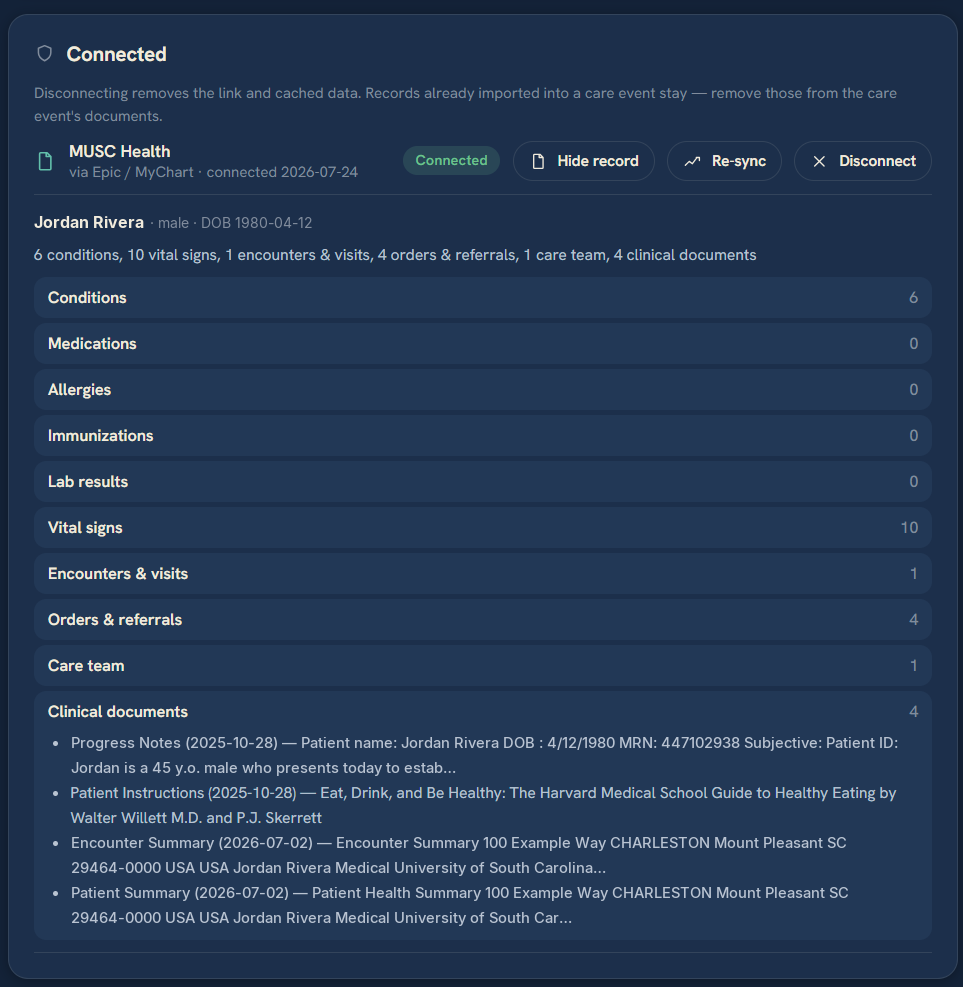
Connect a provider through MyChart or another portal and NaviaCAIR now brings across far more than the basics. Along with your conditions, medications, allergies, immunizations, labs, and vitals, it reads your visit history, imaging and diagnostic reports, clinical notes and discharge summaries, procedures, orders and referrals, care plans, treatment goals, your care team, and upcoming appointments.
That's the difference between knowing your medication list and understanding your care. The extra context is what lets NaviaCAIR explain why something changed, not just that it did. More of your history now arrives on its own, so there's less to upload by hand. Not every provider shares every category, so what comes through depends on your health system.
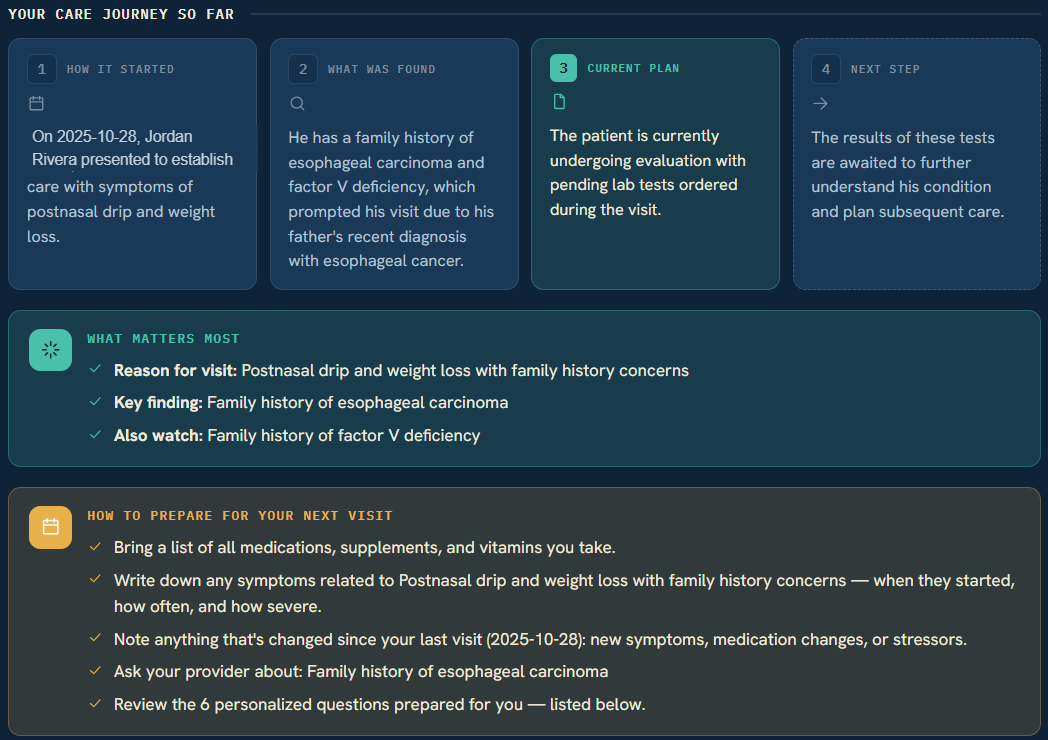
Once it's in, NaviaCAIR turns it into a plain-language summary of where your care stands: how it started, what was found, the current plan, and how to prepare for your next visit.
Tap to open it full size.Trust & sources
Answers you can trace to sources you trust
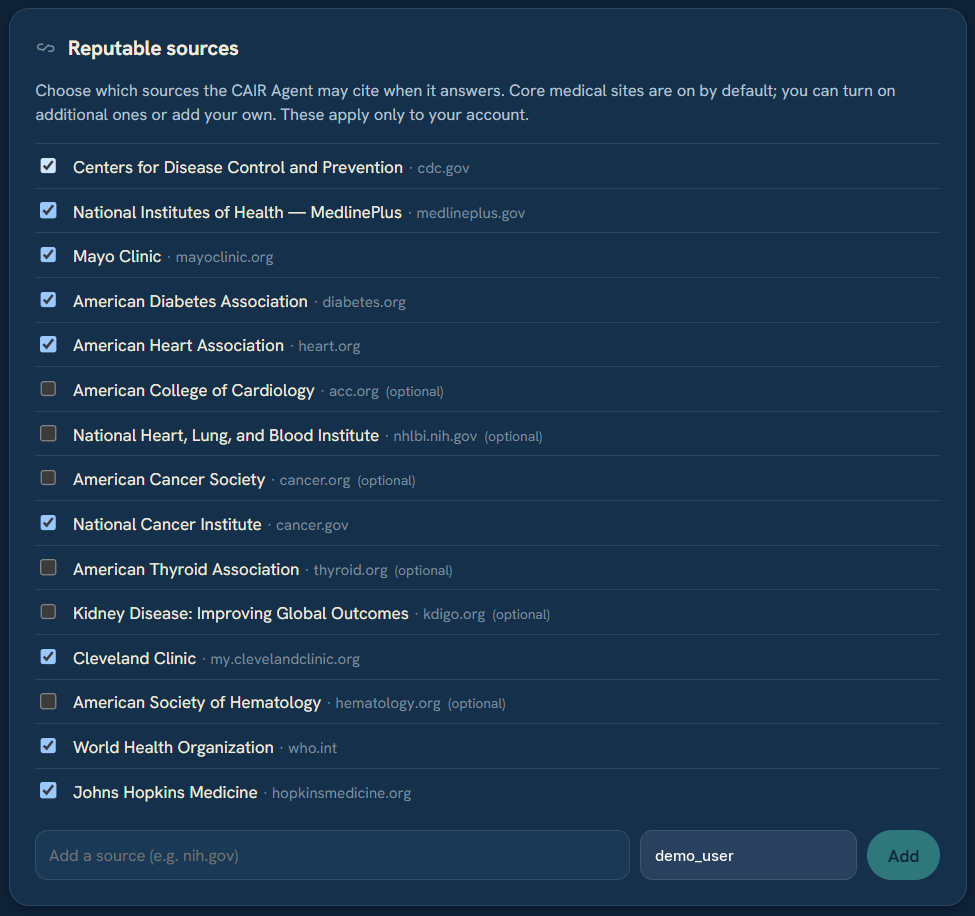
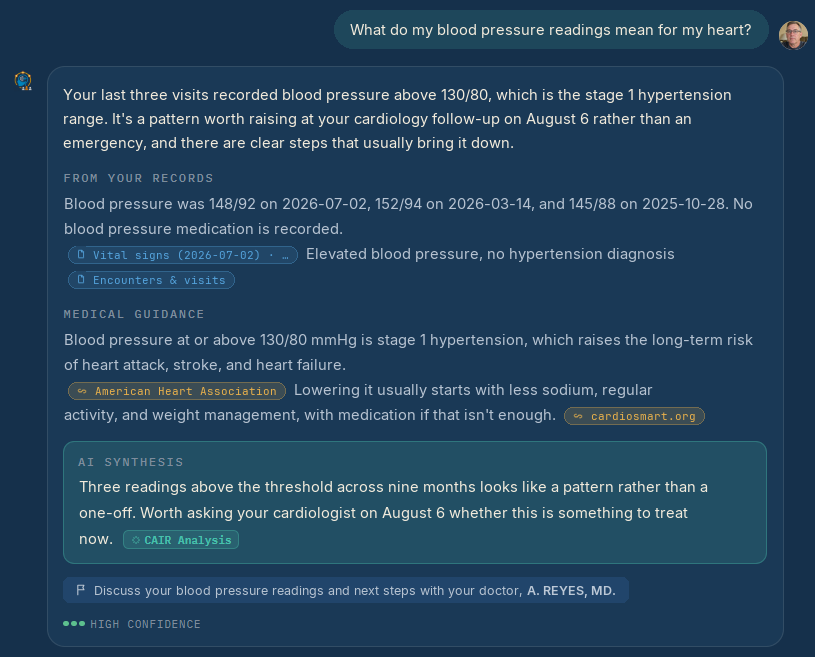
You should always be able to see where an answer came from. Every answer starts with your own records. When NaviaCAIR adds general medical guidance, it names the source and links to it, so you can read it yourself.
The default sources include the CDC, NIH MedlinePlus, Mayo Clinic, Johns Hopkins, and the WHO. You can switch any of them on or off, turn on specialty sources when they apply to you, and add your own — the disease foundation or specialist center you already trust. That last part matters most for rare conditions. Your records always come first; sources add context around them and never override your chart.
Here's what that looks like in practice — your records first, then guidance, with every source named and linked:
Illustrative example.
See it for yourself in the demo
Explore care teams, connected records, and cited answers — no account required.
We're looking for caregivers and patient advocates to try NaviaCAIR and tell us what they think. If that's you, or you know someone, please let us know.
A few things we're working on next, shaped largely by your feedback.
01
More Connected Portals
More record sources on the way beyond Epic / MyChart — including Oracle Health and MEDITECH.
02
Imaging & Clinical Impressions
Deeper support for medical imaging and clinical impressions, so more of your record comes through.
03
More for Care Teams
More ways to divide up the work and keep everyone helping in the loop.
04
More Ways to Capture the Visit
New ways to bring each appointment into your care story, with every insight anchored to your records.
Privacy & trust · Built to be worthy of your records.
You decide who sees what. The patient grants care team access, and can take it back at any time.
Connected portals stay private to your own account, and we never see your portal password.
Your records are never used to train public AI. We're committed to privacy, security, and ongoing compliance as we grow.
"All of this came from feedback, or from my own family's experience. If something isn't working for you, or you think we've got it wrong, tell me — that's how it gets better."
— Nathan, Founder, NaviaCAIR
Important
NaviaCAIR is an informational tool and does not provide medical advice, diagnosis, or treatment. Always consult your healthcare provider.
You control what data you upload, share, and manage.
Want to explore or get involved?
Look around the demo without signing up, or build your own Care Story for free.